

Free
$0 forever
- Threshold and days-of-stock alerts
- Monday restock list
- One email recipient
- All locations, no variant limit
- Activity log and Shopify Flow trigger
No card, no variant limit.
Install on ShopifySimple. Quiet. Always in stock.
Stock Alert App watches your Shopify inventory and emails you once when a variant hits your number, or a few days before it runs out at its sales pace. Simple and automatic.
Free on the Shopify App Store · No variant limit · Flow optional
Alerts and the Monday list are free, with no variant limit. Pro is optional.
Sitting at the threshold stays silent.
Products, stock, and locations. Nothing else.
Slack or tags later, if you want them.
Live today
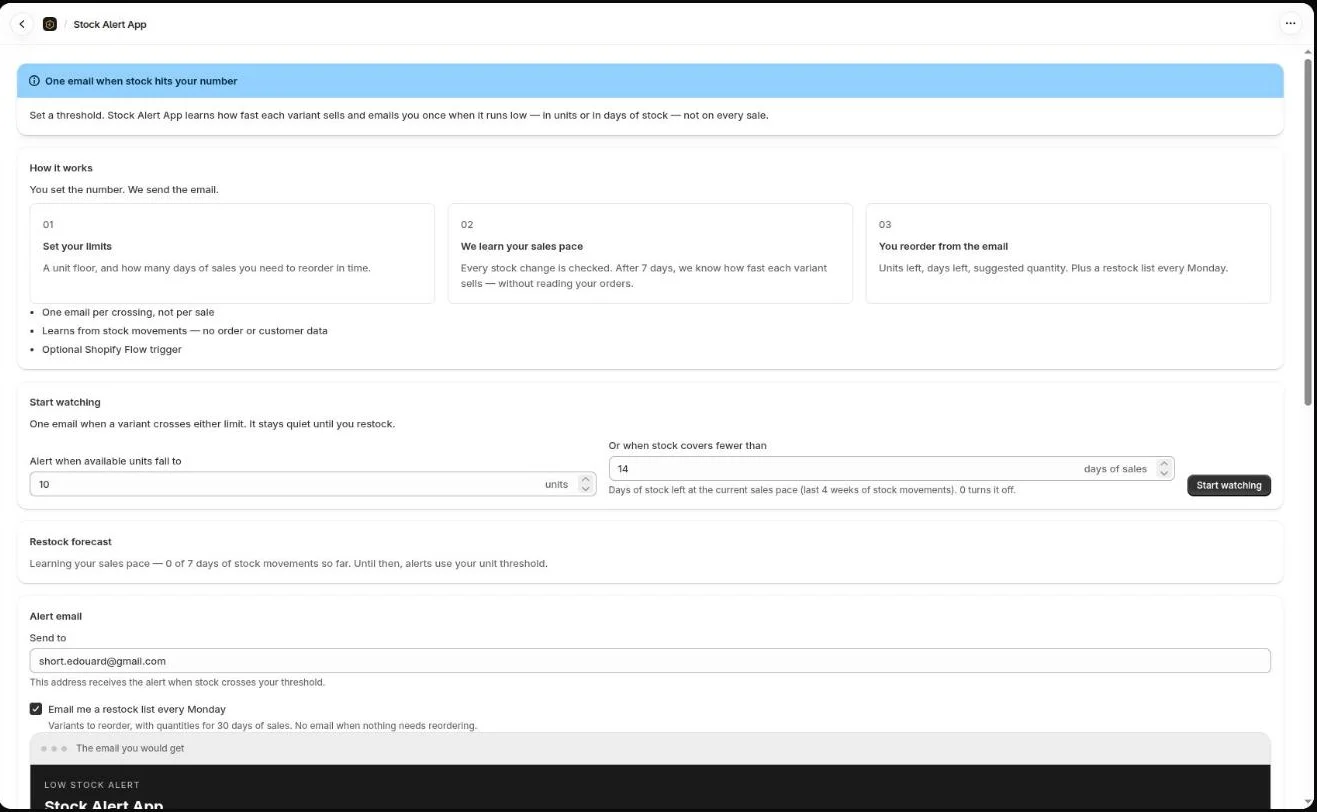
You set the limits. We send the email.
A variant drops to your unit threshold, or its stock covers fewer days of sales than your limit → one email and a line in the activity log. Restock above it, and the next crossing can fire again.
A unit floor, and how many days of sales you need to reorder in time. The email goes to the shop contact by default.
Every stock change is checked. After 7 days, we know how fast each variant sells, without reading your orders.
Units left, days left, suggested quantity. Plus a restock list every Monday.
The email you would get
Low stock alert
Wool sweater · Heather / M
Available
3
Dropped to your threshold of 5 at Warehouse A. SKU WSW-HM.
Pricing
Alerts in units and in days of stock, the Monday restock list and the activity log are free, with no variant limit. Pro adds the controls a growing team needs.
$0 forever
No card, no variant limit.
Install on Shopify14-day free trial
$9.99 / month
Billed by Shopify. Cancel any time in the app.
Install on ShopifyThe rule
You only hear when the line is crossed.
Every sale moves stock. Most of those moves can wait. Stock Alert App remembers the last state and writes you once — when available units drop to your threshold or below. Days of stock follow the same rule: one email when the sales pace says you are about to run out.
Sitting at 3 units does not email again. Restock above the line, then the next drop can.
The email names product, variant, SKU, units left, and location.
We read products, inventory, and locations. Not orders. Not customers.
Same rule, later
The live product is inventory. These would use the same idea: a threshold, one alert.
Coming next
Alert when a product's refund rate climbs past a line you set.
Coming next
Alert when a high-value customer has gone quiet.
You review permissions on Shopify before anything is watched.